Staff-created quotes and orders
Configure work from a phone call or email. Review the price and delivery, then send an offer or prepare the order on the customer’s behalf.
See how staff sales works
HOW PRESSFLOW WORKS
A customer chooses their print, prepares the order and supplies artwork. Your team receives the specification, files and decisions it needs to move the job forward. Follow the customer and staff journey in the working PressFlow showcase.
01 / SPECIFY AND PRICE
The buyer selects size, stock, printed sides and finishing, then compares the complete-job prices and available production options. You configure valid combinations and the prices you are willing to sell at.
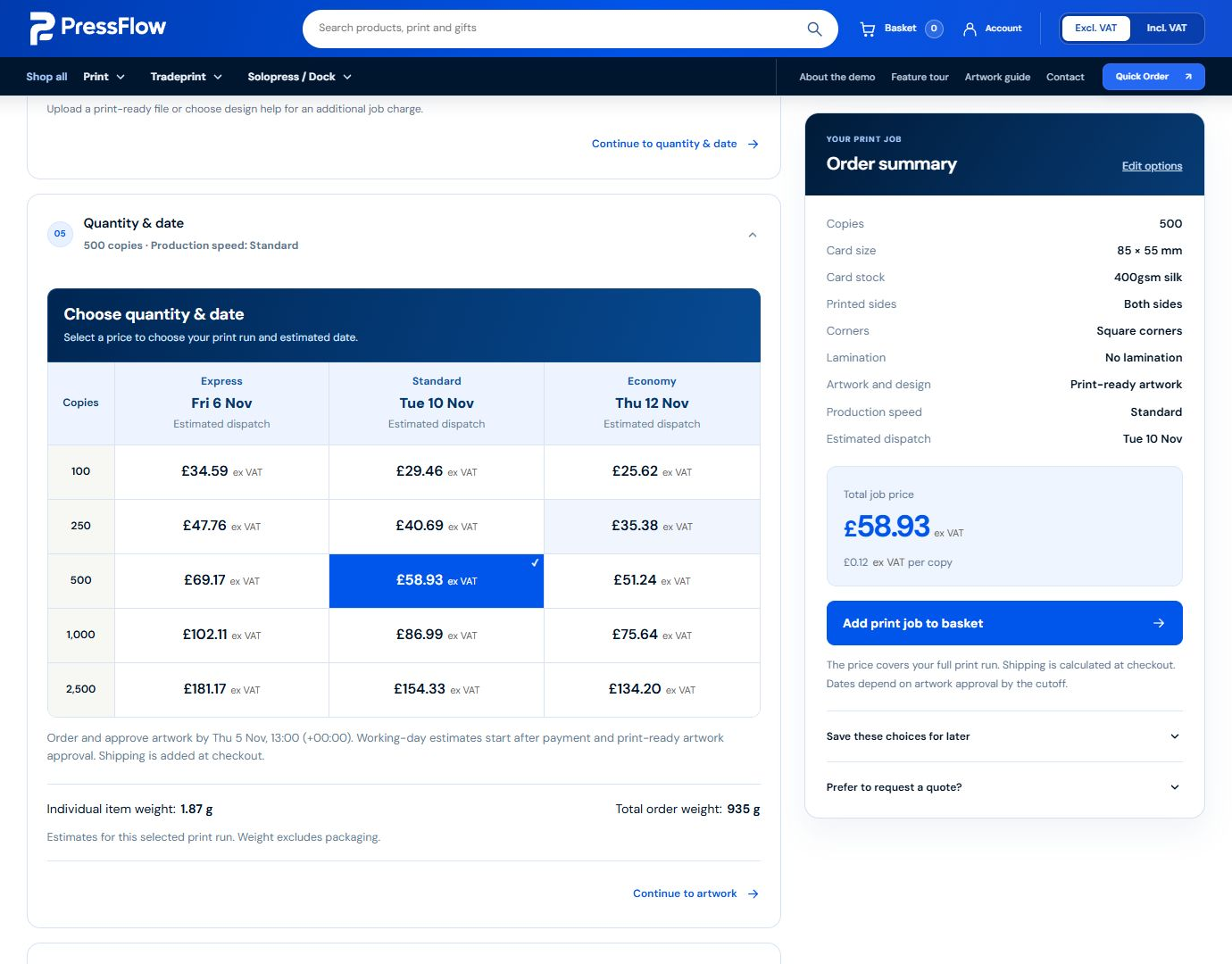
Size-based signs, quantity-priced labels and reviewed quotes can follow different pricing routes within the same shop. See the pricing examples.
02 / PREPARE THE ORDER
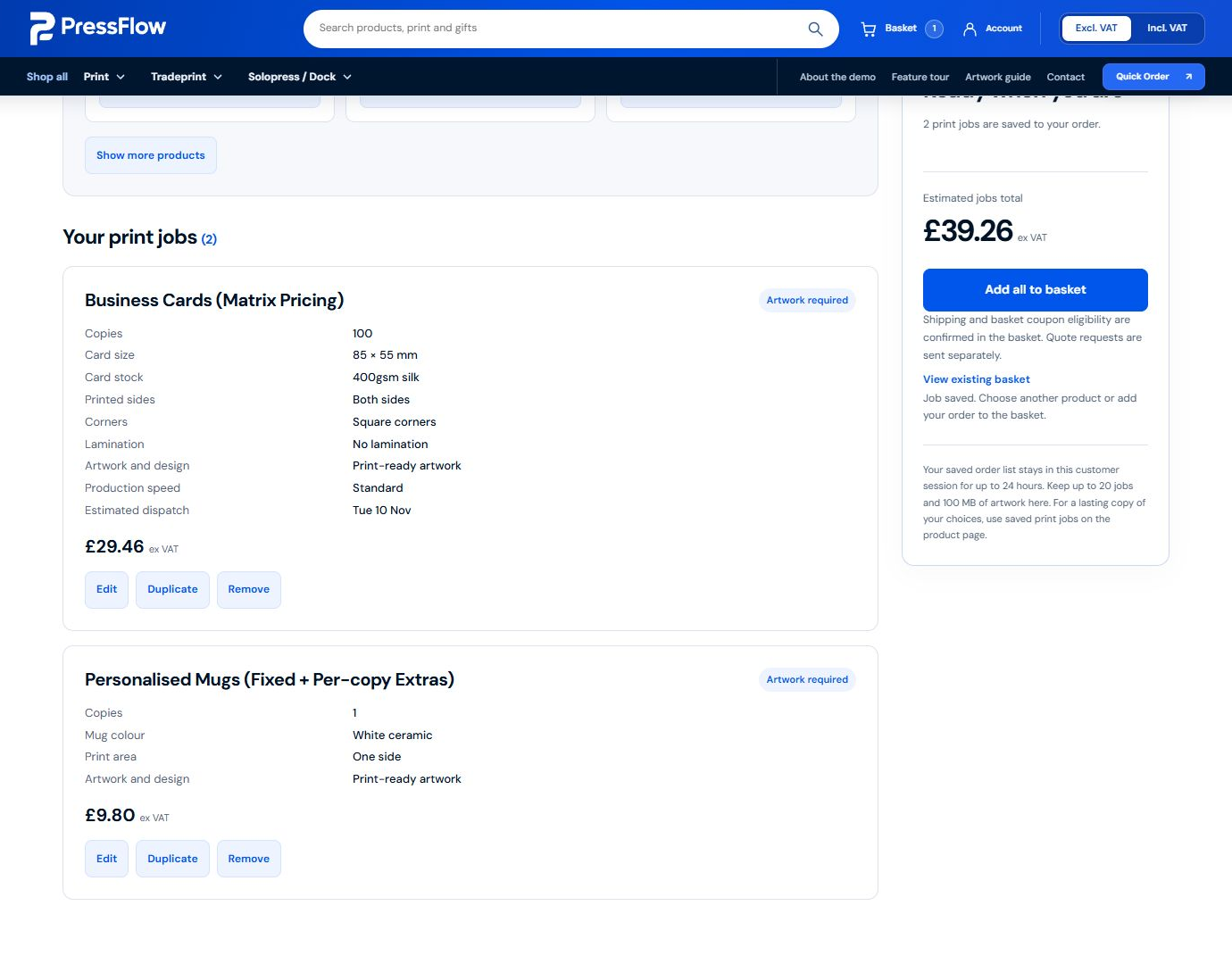
A customer can prepare one product or several eligible jobs in Quick Order. The basket keeps each specification, reference, quantity and artwork route attached to the correct job, including separate configurations of the same product.
03 / ARTWORK AND PROOF
Customers supply artwork through the methods enabled for the product, including supported later uploads. Your team reviews the current files and issues a proof where required. Approval or a change request is recorded against that proof version.
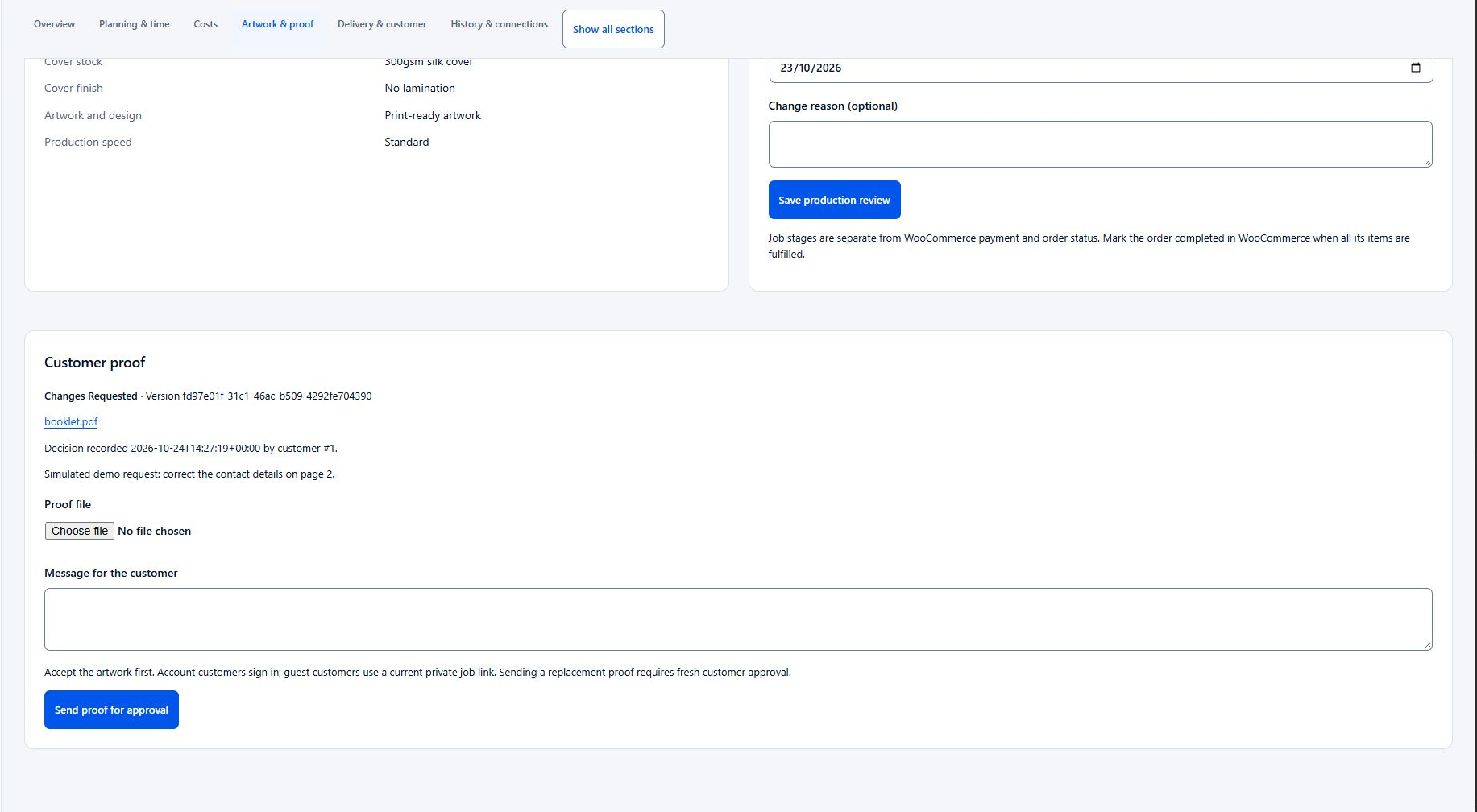
A purchasing approval, a payment and a proof decision each have their own purpose. The configured requirements must be satisfied before the job enters production.
04 / PRODUCTION AND DISPATCH
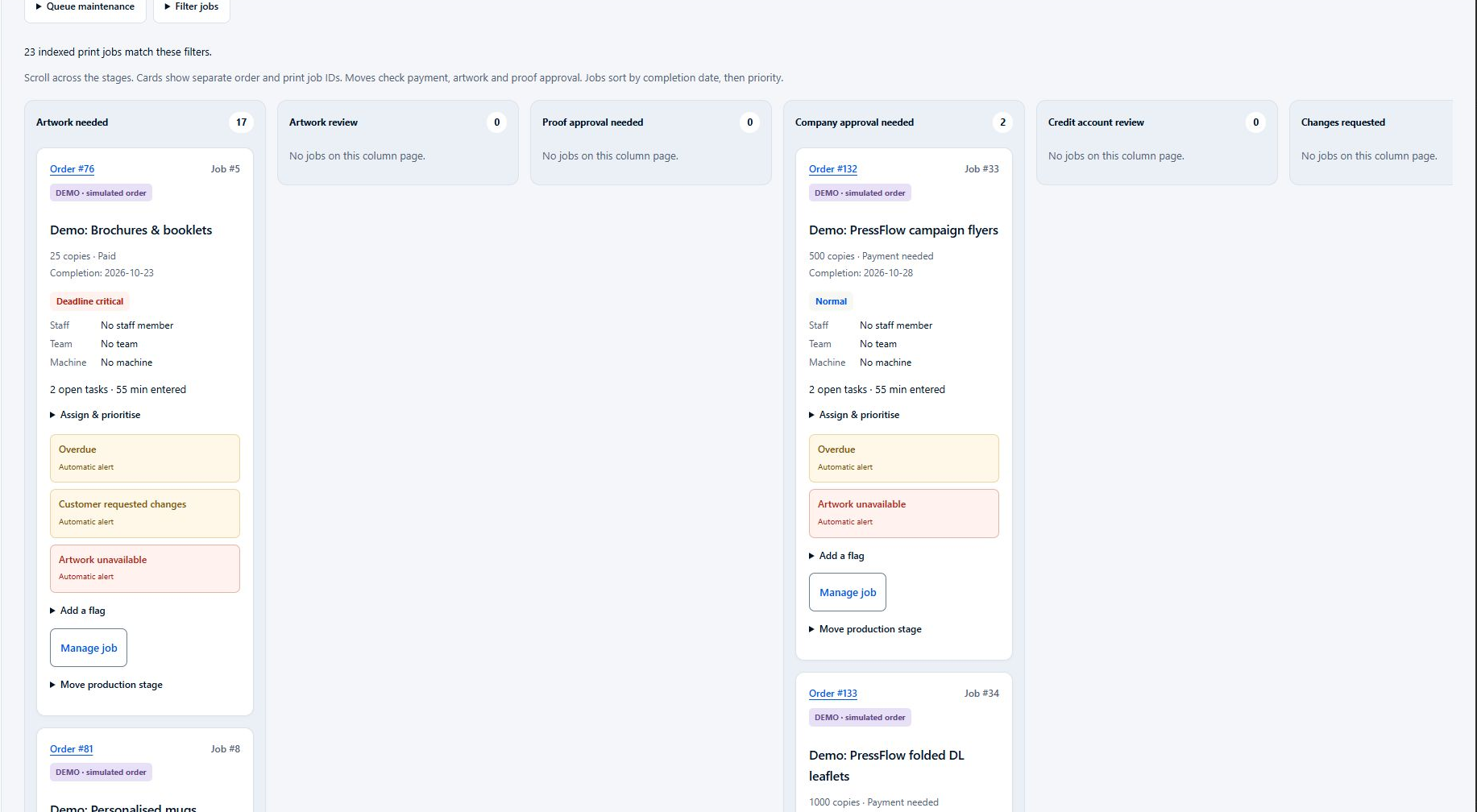
See the specification, artwork status, proof decision, assignments and attention flags together. Follow the job through printing, finishing and recorded dispatch or collection, with a printable ticket for the shop floor.
WORKING WITH PRINTIQ
For mapped printIQ products, the ordered specification follows the job into a staff-reviewed source quote. Confirm delivery, approve or accept the quote, then send approved originals to their cover, text or other required sections.
Verified artwork receipts and mapped source statuses keep the PressFlow board and customer progress in step. WooCommerce continues to own checkout and payment.
05 / THE NEXT RUN
Customers can start from a saved specification or previous job. Company buyers can use an approved print library or personalise a locked brand template. A new order uses current choices and prices, with a fresh review of copied artwork.
PREPARING YOUR SHOP
Install on staging, prepare WooCommerce, then work through product, options, prices, production, artwork, example checks and readiness. Expand the catalogue after a representative purchase and staff handover have been tested.
REPEAT COMPANY PRINT
YOUR PRINT BUSINESS. CONNECTED.
Choose the complete PressFlow plugin or have Fell & Harbour build the website with you. Start with the products, customers and workflow that matter to your business.
Build the job for a customer, deliver it where it needs to go and give production the approved files together.
Configure work from a phone call or email. Review the price and delivery, then send an offer or prepare the order on the customer’s behalf.
See how staff sales worksSend part of an in-house run to each branch. Keep one print price and approved artwork set, with delivery reviewed per destination.
See a split-delivery exampleGet approved files, proof, ticket and packing list in one ZIP. Queue the exact revision for a configured production folder when you need one.
See production packages