Control the design
Keep the PDF background, logo, colours and layout fixed. Assign licensed company fonts and allow only the approved image choices for each fixed frame.

LOCKED BRAND TEMPLATES
Give company buyers the freedom to update names, details and approved imagery while you keep control of the design. Turn repeat artwork changes into self-service orders.
SEE THE DETAIL
WHAT THIS CHANGES
Keep the PDF background, logo, colours and layout fixed. Assign licensed company fonts and allow only the approved image choices for each fixed frame.
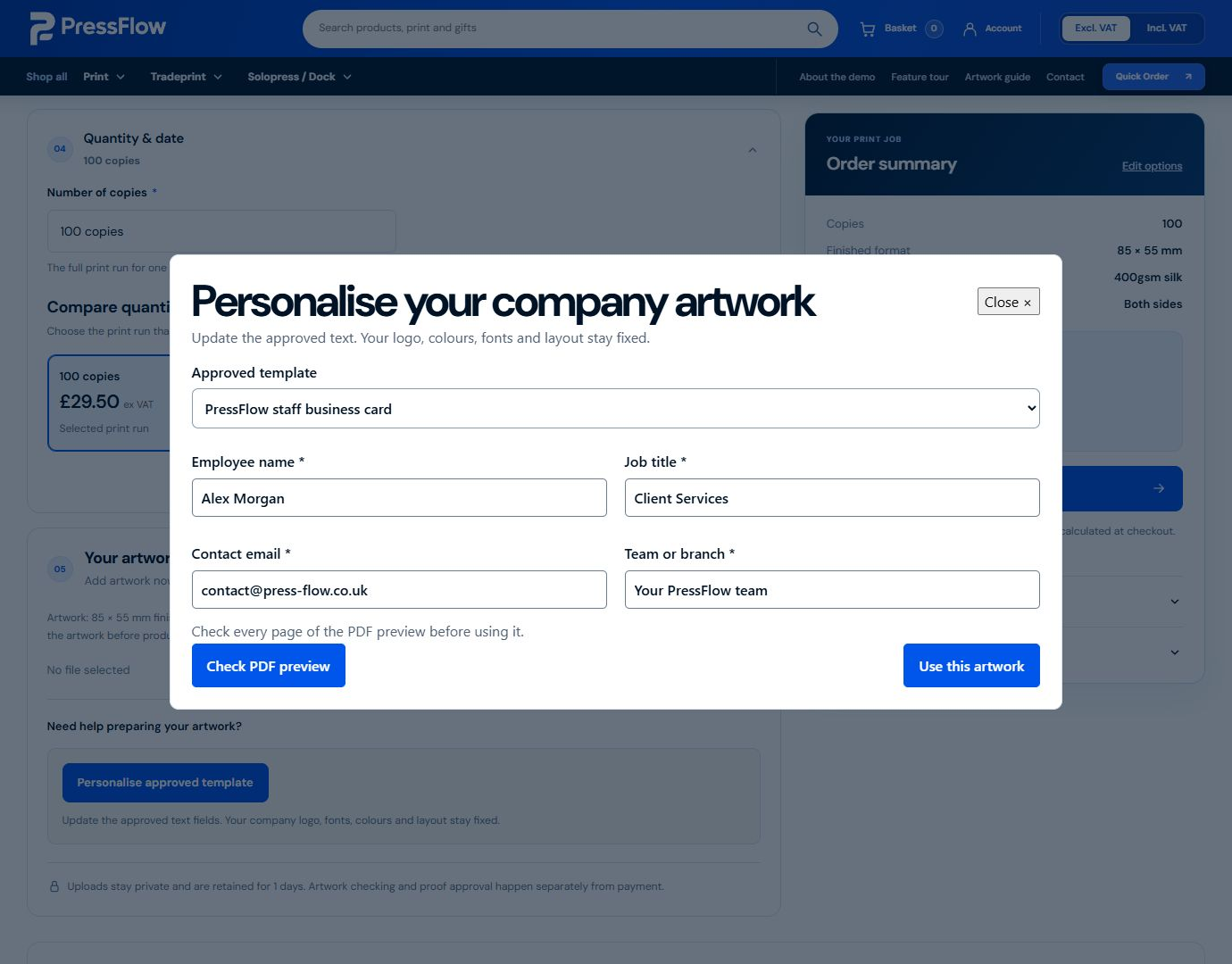
Prepare names, roles, contact or branch details with required fields, limits and fit rules.
Review the generated PDF and carry the selected template version into the normal ordering workflow.
A WORKED SCENARIO
A new employee needs business cards. The purchaser changes the permitted name, role and contact fields, checks the preview, then orders from the company’s approved product. The fixed brand layout remains controlled.
INDESIGN AND APPROVED DESIGNS
Import labelled text frames from IDML, review positions and map fonts, using the matching PDF for the fixed background. The supported export package can rebuild approved text frames above a locked PDF layer in desktop InDesign for further work.
The supplied scripts require desktop Adobe InDesign. Review the template and generated output before publication; fixed PDF artwork remains fixed.
BEFORE YOU ENABLE IT
Native templates support permitted text changes, approved image choices in fixed frames and licensed static TrueType brand fonts. A configured Canva company-template route is a separate choice with its own app, account, plan and provider requirements. Your team reviews generated output before production.
PERSONALISE FOR A WHOLE TEAM
For native locked PressFlow templates, upload a UTF-8 CSV, map columns to permitted text fields and approved image IDs, then set quantities for each person. PressFlow flags missing values, invalid quantities and text that does not fit. Review the individual PDFs, then add separate named jobs to the basket.
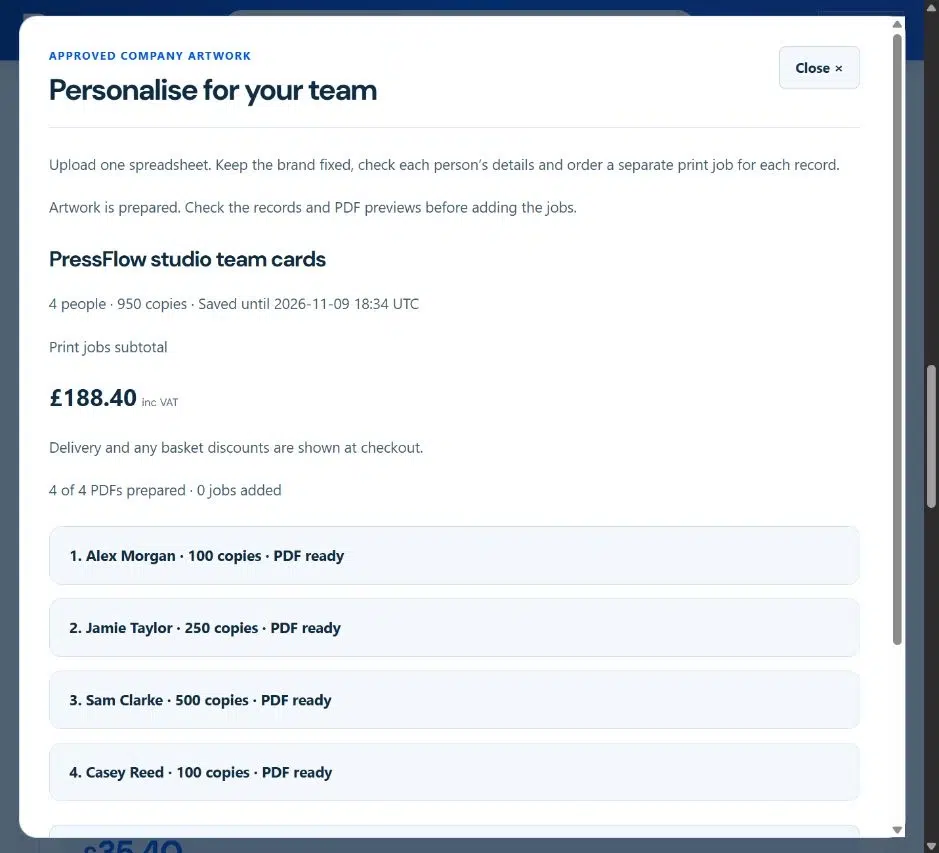
Private saved batches let the purchaser return to unfinished work. The fixed logo, fonts, colours and layout remain controlled by the approved template.
APPROVED ASSETS. CONSISTENT RESULTS.
Offer approved campaign graphics or branch photographs within fixed image areas. The printer controls position, dimensions, crop and minimum resolution. Customers choose from the approved set.
Set up approved image choicesUpload supported static TrueType faces, assign them to editable text and embed them in the generated PDF. Customers cannot change the font or styling. The same checks apply to individual and CSV team artwork.
Set up company brand fontsYOUR NEXT STEP
Try a representative job, review the complete licence, or talk to Fell & Harbour about a website built around your catalogue.