See the outstanding action
Distinguish missing artwork, proof decisions, payment requirements and production holds.

PRODUCTION AND OPERATIONS
Give your print room a clear view of what is ready, who owns it and what needs attention. Keep artwork, proof decisions, job tickets and packing details together, with planning, materials and costing available when you need them.
FROM ORDER TO PRINT ROOM
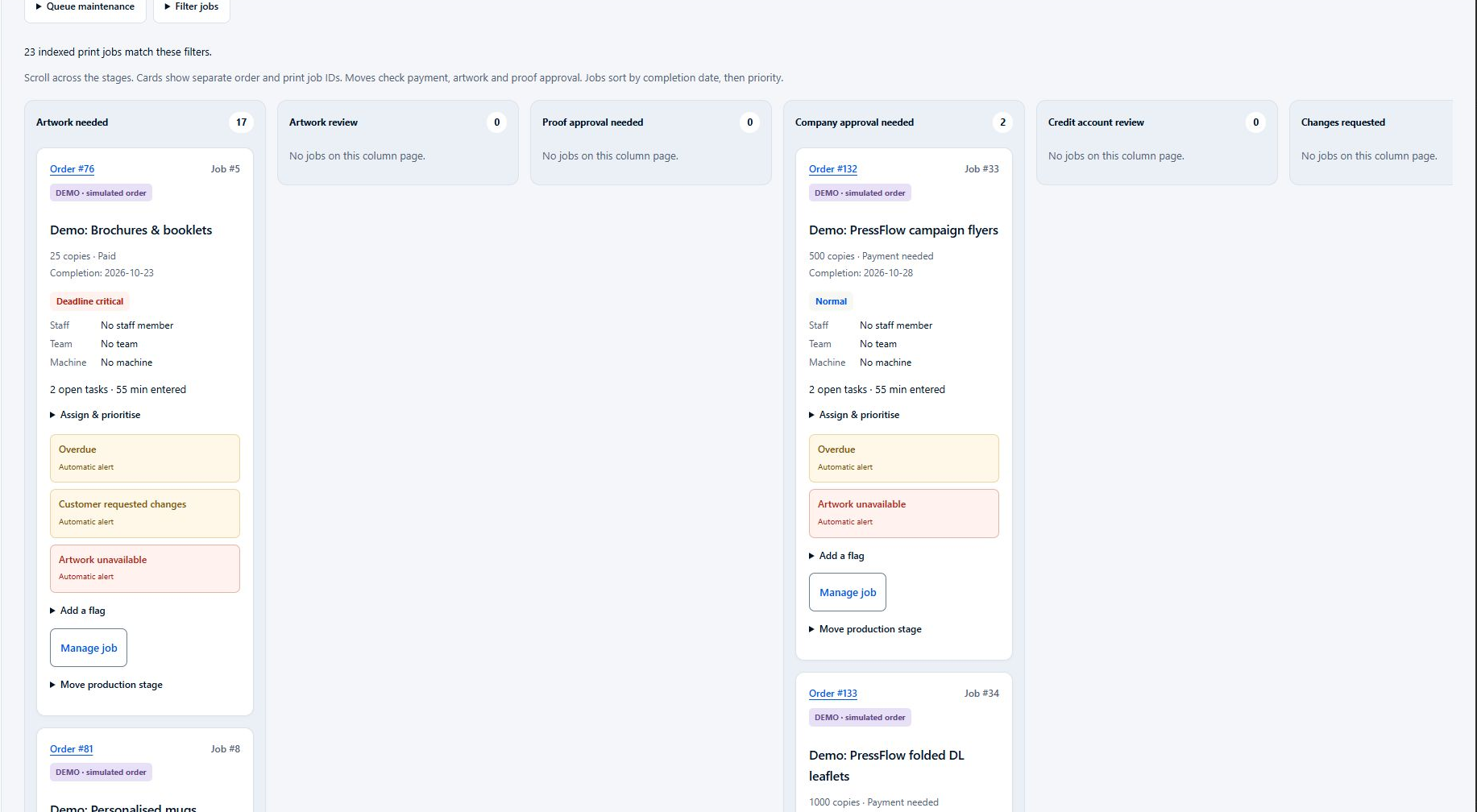
Distinguish missing artwork, proof decisions, payment requirements and production holds.
Use list and Kanban views, staff/team/machine assignments, priorities and due dates.
Open the ticket and job history, then record finishing, dispatch or collection details.
OPTIONAL OPERATIONS TOOLS
Book sequential tasks against configured machines, shifts, breaks and downtime. Review conflicts and eligible replanning.
Record stock, allocations, usage, purchase orders and partial deliveries alongside the jobs.
Use configured sheet, roll and booklet recipes to review costs privately before applying a selling-price proposal.
Use the supported print-job API and signed job events for a defined integration, with delivery history and controlled retries.
THE RELEASE DECISION
A job’s configured payment or credit conditions, accepted artwork, required proof decision and blocking flags guide whether it can proceed. Individual jobs remain distinct even when they share a WooCommerce order.
The board uses explicit supported stage actions. Purchasing approval and artwork approval remain separate decisions.
CHECK YOUR OPERATIONAL SCOPE
PressFlow includes production workflow and optional operations tools. Assess the required estimating, scheduling, purchasing, invoicing, reporting and external-system handoffs against representative work. A full MIS replacement or a ready-made connector to every MIS is not implied.
Specialist prepress requires your own licensed service and approved profile. Configure and test enabled tools on staging, with your own machines, materials, assumptions and staff permissions.
BUSINESS REPORTING
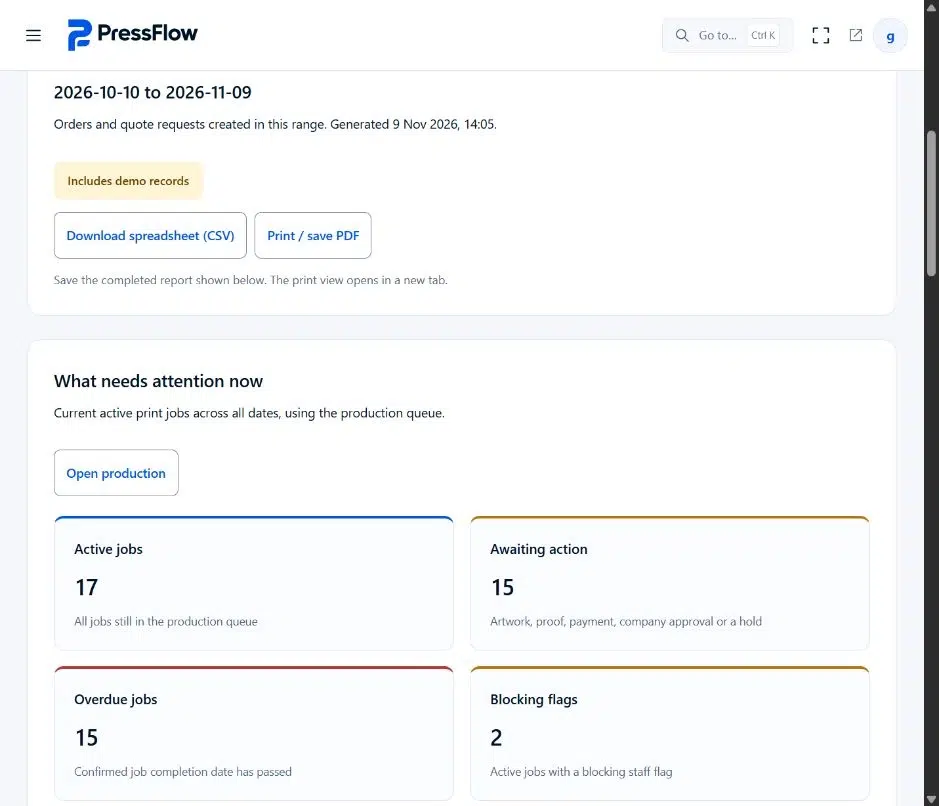
Open a private report for the production queue, overdue and blocked work, order-to-dispatch turnaround and quote conversion. Compare complete estimates with recorded costs and see eligible job contribution without treating missing costs as zero.
Reports build in resumable batches. Download aggregate figures as CSV or open a clean private print view to save a PDF. WooCommerce Analytics remains available for sales, products and taxes.
YOUR NEXT STEP
Try a representative job, review the complete licence, or talk to Fell & Harbour about a website built around your catalogue.