Turnaround and quotes
Review order-to-dispatch time and the share of quote requests that became paid or authorised account orders.
Understand the calculation
PRESSFLOW 2.3
See which jobs are waiting, how quickly orders turn around and where your print work earns its margin. Use the quotes, timings and costs your team already records.
START WITH THE NEXT ACTION
View the current active queue, jobs awaiting action, overdue confirmed work and blocking flags. Follow report links into the actual production jobs so the figures lead to useful action.
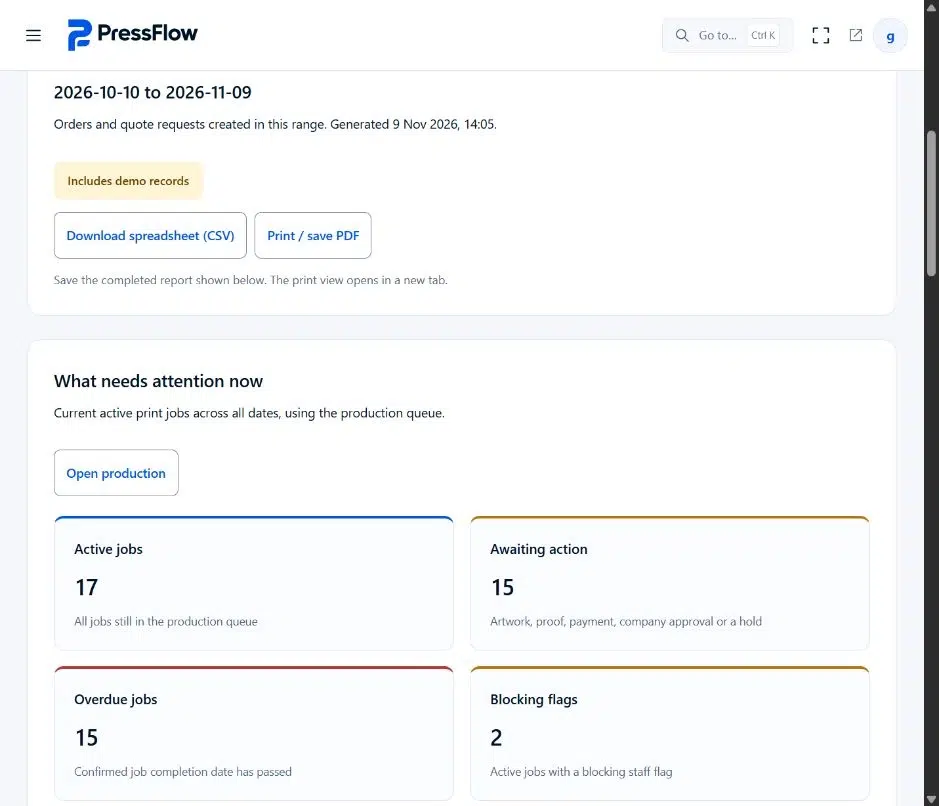
UNDERSTAND THE WORK YOU HAVE WON
Review order-to-dispatch time and the share of quote requests that became paid or authorised account orders.
Understand the calculationCompare the same eligible jobs and keep incomplete or missing costs identified. Contribution uses recorded job costs, rather than claiming net business profit.
Read the cost definitionsGenerate in resumable batches, download aggregate CSV figures or open the clean private print view to save a PDF.
Follow reports and exportsManagers keep access to WooCommerce Analytics for sales, products and taxes. PressFlow adds the print-job context already captured in your workflow.
YOUR PRINT BUSINESS. CONNECTED.
All built-in PressFlow tools are included in your licence. Use your own WooCommerce website or have Fell & Harbour build the complete print shop.