PressFlow Annual
£999 per year
Pay once for 12 months. Renew manually when you’re ready.

Run your public print shop and private company storefronts on your own WooCommerce website. PressFlow gives customers clear prices and an easy route to order, then keeps the artwork, proof and job details together through production.
Choose monthly or annual billing for the same PressFlow features, updates and product support.
The licence covers one live shop and one staging installation, releases, standard plugin support and every built-in feature. No VAT is added to the published licence price.
PressFlow charges no per-order commission or feature module fees. Allow for your hosting, domain, payment processing, supplier orders, external services and any commissioned work.
Direct licence purchases and paid annual renewals qualify for the published 30-day no-quibble licence refund. Already activated licences have a separate 30-day continuation window after verified expiry.
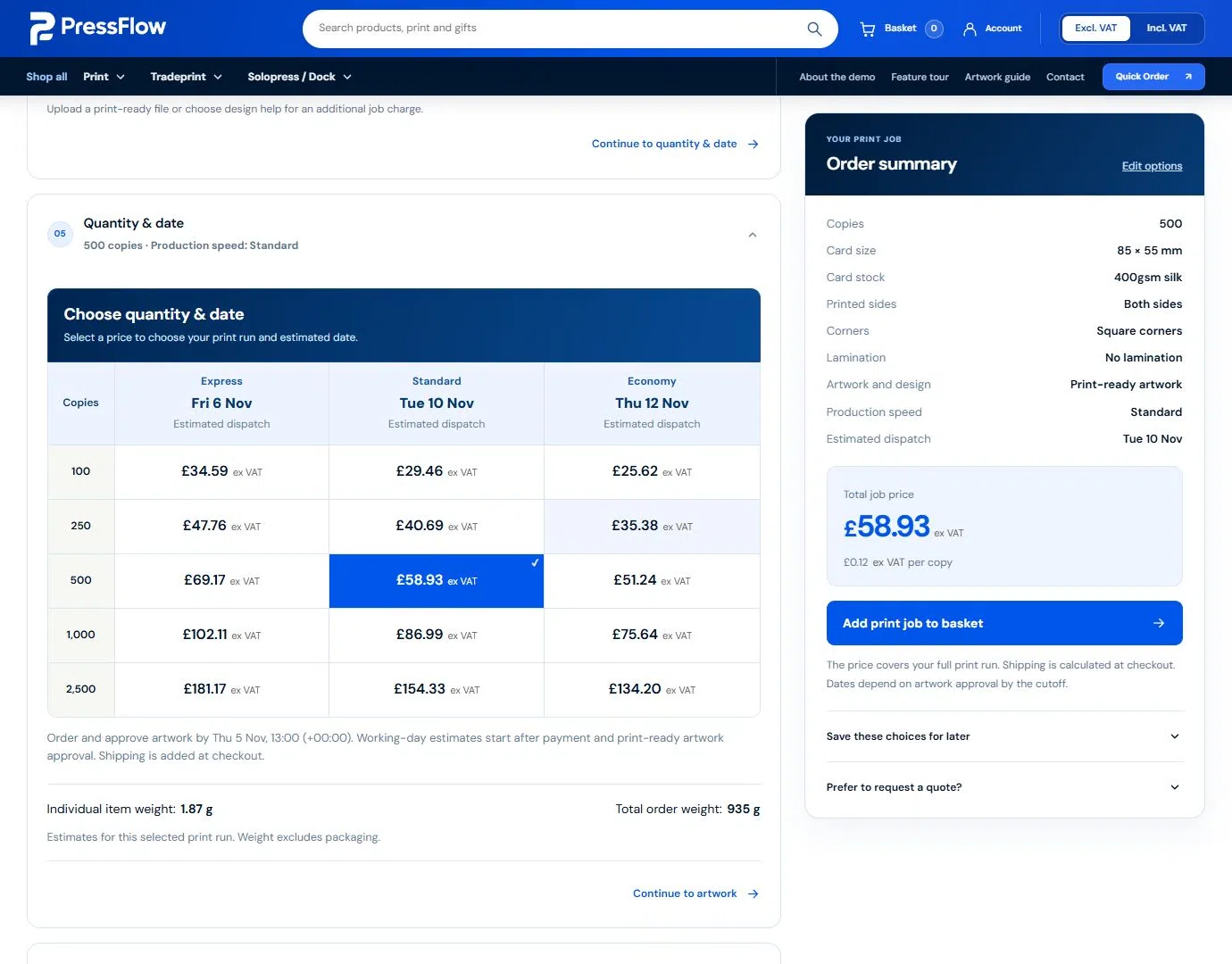
Offer whole-job prices using fixed rates, quantity tables, matrices, area pricing, size bands or quote-only products. Guide buyers through valid combinations of stock, finish, dimensions and turnaround. Show dispatch estimates, item and job weight, and spine width where configured. Eligible product calendars can show buyers a live countdown to the order cut-off. Quick Order lets buyers configure several jobs on one page.
Keep private uploads and proof versions with each job. Explain measured size, page count, bleed and supported resolution findings with trim and safe-area overlays. Generate artwork guides for the selected product, including round labels and spine-aware covers. The included designer and optional Canva connection offer two ways to create artwork. Staff can request replacements and record customer approval of a specific proof.
In Prepress handoff, export a print-ready CMYK PDF/X-1a from a saved PressFlow design. Staff can record their checks or attach a specialist preflight report, with the editable original kept on the job.
New artwork is stored in a protected private folder by default. Existing files remain available as they move across, and PressFlow keeps artwork and proofs on eligible open orders beyond the normal retention period.
See the CMYK export steps · See what the artwork checks cover · Check private artwork storage and backups
Give companies a branded portal with an approved catalogue, agreed prices, branch delivery and reordering. Lock brand layouts while allowing approved text and image changes. Prepare fields from supported IDML, JSON or named PDF forms and personalise batches using CSV. Use purchasing roles, approval workflows, purchase orders, credit terms and branch budgets.
Import approved text frames from IDML with a matching background PDF. A printer or company administrator can download the template export, rebuild its editable frames in desktop InDesign and save a new IDML file. The fixed design stays on a linked PDF background.
Follow individual jobs in a list or Kanban board, with their specifications, artwork, readiness, assignments and job tickets. Plan capacity across machines, track stock and purchasing, and review turnaround, quote conversion and job costs using the records your team captures.
Start with digital-print and wide-format blueprint packs containing 15 configured drafts. Use guided setup, reusable configurations, price-list imports and bulk price adjustments. Review your own paper, finishes, rates and delivery before publishing.
Use your own WordPress site, domain, hosting, customer accounts and WooCommerce checkout. Mix in-house products and supplier lines in the same catalogue. Use the authenticated print-job API and signed events when a developer needs to connect another system.
Built-in artwork checks assist professional review. Confirm colour, finishing and other production requirements with your prepress team.
Import eligible product codes and quantities, refresh verified prices and choose WooCommerce or printIQ delivery. Choose staff-reviewed handoff, automatic quote preparation for staff review, or automatic submission for eligible approved jobs. Send specifications, delivery and approved artwork, then read mapped job updates back. Compatible lines can share one staff-reviewed quote.
PressFlow can reuse the named artwork sections learned from a printIQ quote to request the right files on future orders. Manual and automatic quotes include freight when the delivery service is mapped.
Import supported supplier ranges with available specifications and quantity prices. Apply your own selling adjustments and refresh verified prices. Review the mapped specifications, artwork and delivery details before handoff. If Tradeprint refuses a job or its confirmation stalls, the job panel shows what needs checking before you retry.
Import supported products and prices, adjust your selling rates and choose which jobs to send to WTTB or produce in-house. Use manual review or enable automatic submission for selected products. Offer eligible production-speed choices with the matching price and UK mainland delivery estimate. Optional WTTB notifications supplement scheduled status checks.
Supply print to invited resellers at agreed trade prices, or import eligible products from a connected PressFlow printer at your own markup. Connect two PressFlow shops with a one-time code, or let an invited partner use the documented API from their own software. Trade orders carry quotes, artwork, proof decisions and dispatch updates into the WooCommerce workflow.
Link equivalent supplier specifications to one WooCommerce product. Compare live trade costs, estimated delivery and your margin for WTTB, Tradeprint and connected PressFlow printers. The customer keeps the price they were quoted, including agreed company pricing.
Staff can choose or let PressFlow assign the recommended supplier after payment, artwork acceptance and proof approval. The chosen connector handles submission.
See the Supplier Choice walkthrough · Read the setup guide · See what changed in 2.4.2
An optional connector for evaluating Route1Print as a supplier. Check catalogue pricing, routing, artwork handoff and tracking in a test environment before relying on it for customer orders.
Connect through the official Dock for WooCommerce plugin. Dock supplies its product configuration, pricing, artwork submission and order fulfilment for mapped products.
Connect Canva for customer design and artwork return. Connect Enfocus PitStop Library Container for specialist prepress through a separately licensed service.
Choose separate WooCommerce extensions for services such as Stripe, PayPal, ShipStation, Royal Mail, Sendcloud, Xero, QuickBooks and Sage. Payment methods and charges depend on the provider, extension and account.
Fell & Harbour, the team behind PressFlow, can design and launch your WooCommerce print shop, populate the catalogue, configure product pricing and scope custom integrations. Choose managed hosting and website care if you want ongoing help. Handover includes administrator access and a walkthrough of the agreed workflows.
£99/month or £999/year for every built-in feature. Install it yourself or work with your existing WordPress team.
£1,250 to £2,500 one-off, plus your chosen PressFlow licence. The team designs and launches your WooCommerce print shop. Agree the build scope in writing and add catalogue setup, managed hosting or ongoing care as needed.
£250 to £450 per five products. A line such as Business Cards counts as one product with its own sizes, stocks, finishes and quantities.
£45/month managed hosting, £75/month Website Care or £175/month Website Care + Support. The £175 plan includes up to 90 minutes of small changes or support.
We scope and quote custom integrations. For digital marketing, we introduce a trusted partner and help them get set up. You pay them directly at their quoted rate, with zero markup from Fell & Harbour.
Start with where your shop will run, what you need buyers and staff to do, and which costs recur. PressFlow publishes this comparison. The other providers’ links describe their own products and plans.
WooCommerce plugin for public and private print shops. One licence covers built-in pricing, artwork, B2B, supplier routing and print-room features. PressFlow link and the Trade API let you supply invited resellers or expand your range through connected printers. Choose your hosting and add a custom build if needed.
Provider-led print ecommerce packages. Compare the setup cost and monthly charge for the tier that covers your quotation, artwork, template and private-portal requirements.
Flex4 OPS packages
Hosted print ecommerce. Its public plans list Standard at £69/month and Pro at £99/month, with applicable VAT and setup terms. Pro lists PitchPrint integration with a separate PitchPrint subscription.
VB Media plans and pricing
Corporate print portals and embedded editing. Coreprint Complete focuses on branded B2B storefronts. Lite provides an embedded editor and Elite combines the two workflows.
Vpress Coreprint options
B2B and B2C storefronts with MegaEdit. Compare the editor, storefront and fulfilment requirements, and ask which workflow, preflight and MIS connections are included in your proposal.
Infigo web-to-print platform
Hosted print-commerce plans. Compare the plan limits and capabilities for retail selling, B2B portals, templates and order processing.
OnPrintShop plans
Ask each provider to demonstrate the same job: configure a print run, replace unsuitable artwork, approve the proof and hand it to production. If you also sell to companies, include an approved template and a purchase that needs a manager’s approval.
See the six-provider feature matrix, pricing examples and dated speed tests
Compare each quoted scope at the time you buy. The speed tests measure the named example sites and pages.
Included with both licence options. Read the setup and test guide.
Run a WooCommerce shop with private branded portals for company buyers. Use a fixed brand background with editable fields, approved image choices and company fonts. Bring in supported InDesign IDML text frames or fillable PDF fields, and use CSV team personalisation to generate artwork for repeat orders.
Configure a print job, follow the artwork and proof journey, or try private ordering and production with demonstration data.