
PRESSFLOW 2.3
One approved design. A whole team ready to print.
Turn a spreadsheet of staff details into personalised, brand-approved print in one batch. Let purchasers check each person’s artwork and quantity before ordering.
LESS REPEATED ENTRY
From spreadsheet to named print jobs.
- Choose an approved native company template and download its example CSV.
- Map each spreadsheet column to a permitted text field, with a shared or per-person quantity.
- Correct missing values, unavailable quantities or text that does not fit.
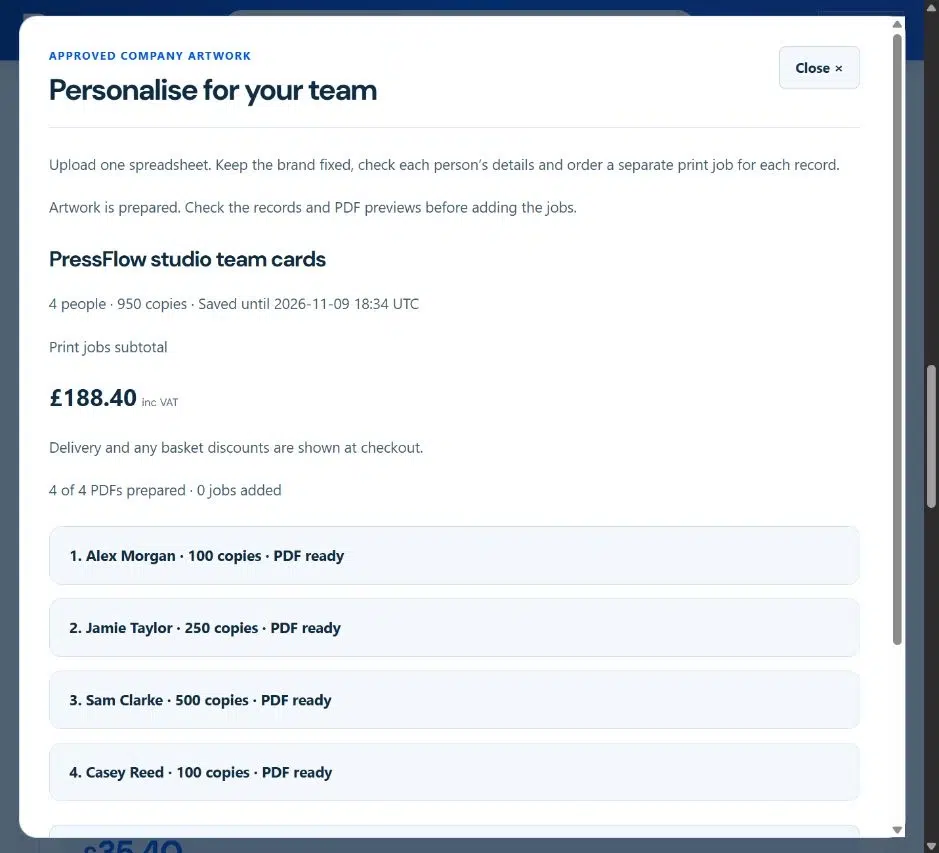
- Review every person’s PDF, then add the separate named jobs to the basket.
KEEP THE JOBS DISTINCT
Each person keeps their own artwork and quantity.
Readable person and batch references follow the jobs into basket, checkout and orders. Purchasers can return to a private saved batch, and larger baskets have a compact review panel. Retries resume the batch without adding the same record twice.
Native locked templates keep the logo, background, fonts, colours and positions fixed. The purchaser changes only approved text. Normal purchasing, payment, proof and production checks remain part of the workflow.
YOUR PRINT BUSINESS. CONNECTED.
Choose the tools. Or have the whole shop built.
All built-in PressFlow tools are included in your licence. Use your own WooCommerce website or have Fell & Harbour build the complete print shop.