Recognise each job
Keep different configurations of the same product easy to distinguish.

PRINT BASKET AND CHECKOUT
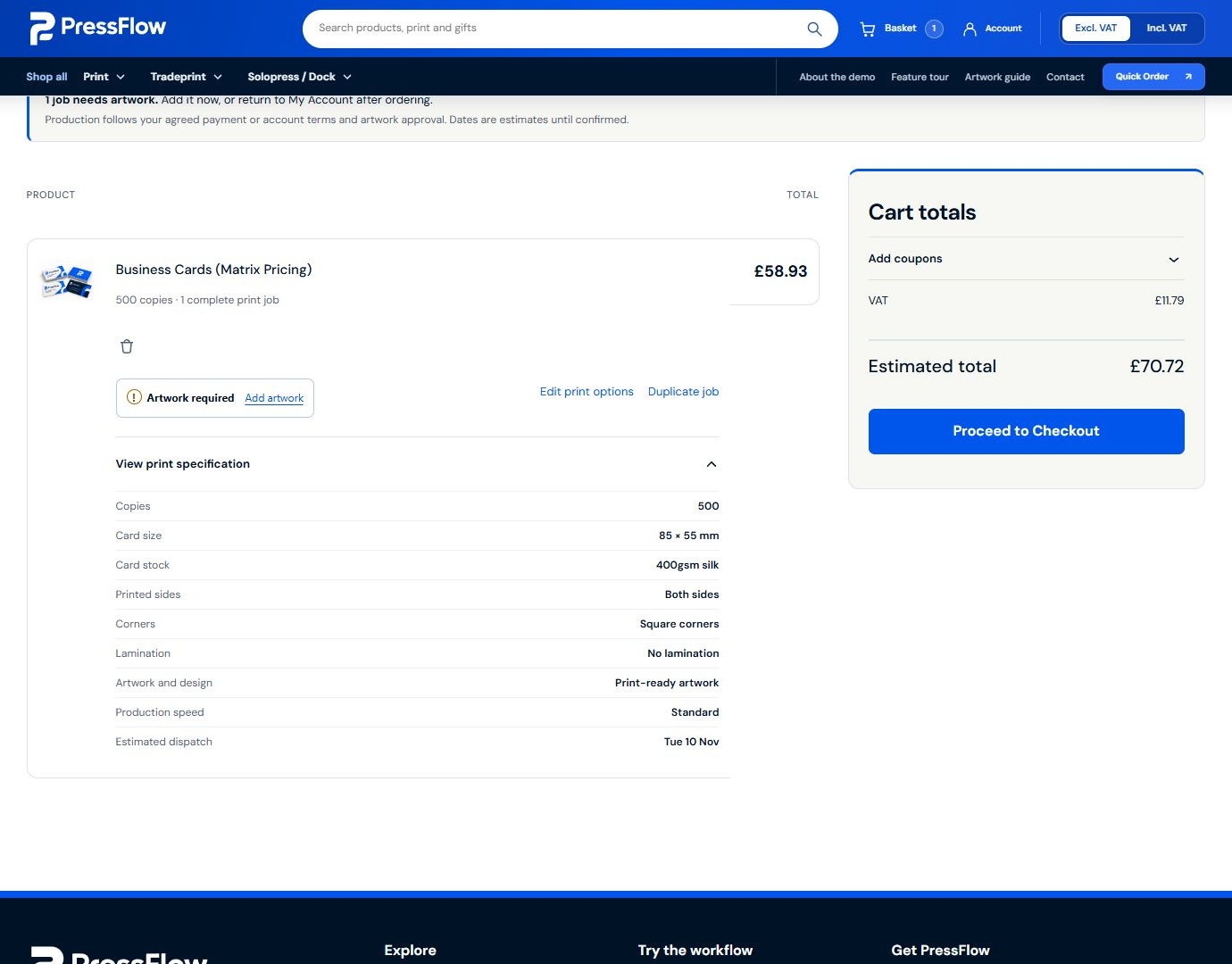
Make the last step of buying print clear. Buyers can check the specification, quantity and artwork for every job before paying through your WooCommerce checkout.
SEE THE DETAIL
WHAT THIS CHANGES
Keep different configurations of the same product easy to distinguish.
Expand the saved options and use supported edit actions before ordering.
WooCommerce handles the order, payments, tax and shipping around the print-job information.
A WORKED SCENARIO
One buyer needs two different business-card runs. The basket can show each saved specification and its associated artwork route, so a change to one job is not confused with the other.
BEFORE YOU ENABLE IT
Use the supported checkout flow for each product. Native PressFlow and eligible Tradeprint jobs use their mapped tools; Dock retains its own product and artwork information. Test your chosen theme, gateway and extensions together.
ONE BASKET. DISTINCT PRINT JOBS.
Named team jobs carry their person, record and batch reference into the basket, checkout and order. Larger baskets use a compact Review print jobs panel so buyers can inspect the detail without pushing checkout far down the page.
Edit, duplicate and artwork actions identify the correct job. Approved company personalisation also opens from eligible basket, checkout and account artwork panels. Company budget review, purchasing approval and account payment appear where the order requires them.
YOUR NEXT STEP
Try a representative job, review the complete licence, or talk to Fell & Harbour about a website built around your catalogue.